Explain Area Chart
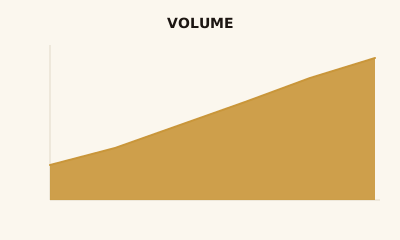
An area chart is a line chart with the space under the line filled. It emphasizes volume and cumulative size over time.
What is a Area Chart?
An area chart is a line chart with the region between the line and the axis filled. The line shows the trend; the filled area emphasizes magnitude or cumulative total. One or more series can be shown; stacked area adds composition over time.
When to use a Area Chart
Use an area chart when you have time (or sequence) on the x-axis and want to stress how much—volume, cumulative value, or total—not only the trend. Use a single area for one series; stacked area when you also want to show part-to-whole over time. If the main point is the trend shape, a line chart is simpler.
How to read a Area Chart
Same as a line chart: time or sequence on the horizontal axis, measure on the vertical. The fill adds a sense of quantity under the line. For stacked areas, use the legend to see what each band is; comparing band sizes across time can be tricky. Keep the y-axis at zero so area reflects true scale.
Common mistakes
Truncating the y-axis (always start at zero); stacking too many series so the chart is hard to read; using area when a line would be clearer.
Variations
Single area; stacked area (composition over time); 100% stacked area (proportions over time).
Area Chart in BI tools
Area charts are in Tableau, Power BI, Sigma, Looker, and Excel. Use for trend-plus-volume views.
vs. other charts
Choose an area chart over a line chart when volume or cumulative total is part of the message. Choose a line chart when you only need the trend. For categorical comparison, use a bar chart.
FAQ
What is the difference between an area chart and a line chart?
Area charts add filled space under the line to emphasize magnitude or cumulative value; line charts focus on the trend line only. Use area when "how much" or total volume matters; use line when the trend shape matters most.
When should I use a stacked area chart?
Use stacked area when you want to show both the total over time and the composition of that total (e.g., revenue by product over months). Be aware that comparing individual series is harder when they stack—consider small multiples if comparison is the main goal.
Should the area chart start at zero?
Yes. The y-axis should start at zero so the filled area reflects true magnitude. Truncating the axis exaggerates changes and misrepresents the scale of values.
When is an area chart misleading?
Stacked area charts can mislead when series cross or overlap—viewers may compare the wrong segments. For many overlapping series, a line chart or small multiples is often clearer than a single stacked area.
Have a chart you can't figure out?
Paste any chart screenshot and get a plain-English explanation in seconds.
Upload your chart →