Explain Line Chart
Line charts show how a measure changes across a continuous dimension—usually time. They answer: Is it going up or down? Where are the peaks and dips?
What is a Line Chart?
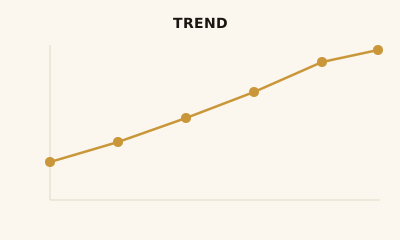
A line chart plots points along an axis and connects them with lines. The x-axis is usually time or another continuous dimension; the y-axis is a measure. One or more series can be shown with different colors. The line emphasizes continuity and change.
When to use a Line Chart
Use a line chart when you have continuous or sequential data (especially time) and want to show trend, rate of change, or compare a few series over the same dimension—e.g. revenue by month, traffic by day. Avoid it for unordered categories (use a bar chart) or for part-to-whole (use pie or stacked bar).
How to read a Line Chart
Read the axes: typically time or sequence on the horizontal axis, measure on the vertical. Follow each line: slope up = increase, down = decrease. Use the legend to tell series apart. Look at peaks, troughs, and turning points. If the y-axis does not start at zero, note that small changes can look large.
Common mistakes
Using lines for categorical data (suggests continuity that isn’t there); too many lines (keep to about 4–5); y-axis not at zero when showing absolute values; connecting points across missing data without indicating a gap.
Variations
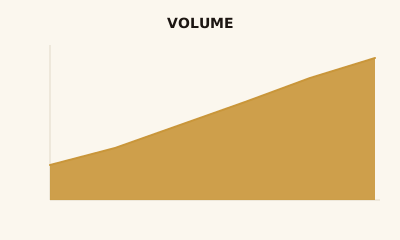
Single- and multi-line charts; stepped lines; area charts (line plus fill below); sparklines for inline trend in tables or cards.
Line Chart in BI tools
Line charts are standard in Tableau, Power BI, Sigma, Looker, and Google Analytics. Use them for trend KPIs and time-based analysis.
vs. other charts
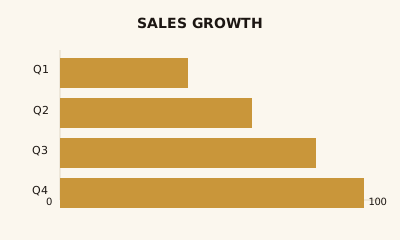
Choose a line chart over a bar chart when the x-axis is continuous (e.g. time). Use an area chart when you want to emphasize volume or cumulative total under the line. For categorical comparison, use a bar chart.
FAQ
What is a line chart best for?
Line charts are best for showing trends over time or over any continuous dimension. They make it easy to see whether values are increasing, decreasing, or stable, and to compare multiple series.
How many lines can I put on one line chart?
Keep to 4–5 lines or fewer for clarity. With more series, use filters, small multiples, or a summary line with drill-down to avoid a tangled "spaghetti" chart.
When should I use an area chart instead of a line chart?
Use an area chart when you want to emphasize the magnitude or volume under the line (e.g., cumulative total). Use a line chart when the focus is on the trend and exact values at each point.
How do I handle missing data in a line chart?
Show gaps: do not connect points across missing periods, or use a dashed segment. Alternatively, interpolate or annotate "no data" so viewers are not misled. Many BI tools let you choose "show gaps" or "connect points."
When should I not use a line chart?
Avoid line charts for categorical data (e.g., product A, B, C with no order)—use a bar chart. Also avoid when the main goal is to compare a few discrete values or show part-to-whole; use bar or pie instead.
Have a chart you can't figure out?
Paste any chart screenshot and get a plain-English explanation in seconds.
Upload your chart →