Explain Scatter Plot
Scatter plots put two numeric variables on x and y axes. They answer relationship questions: Do the two measures move together? Where are the clusters and outliers?
What is a Scatter Plot?
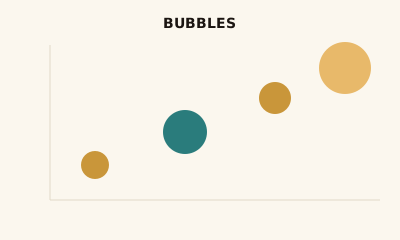
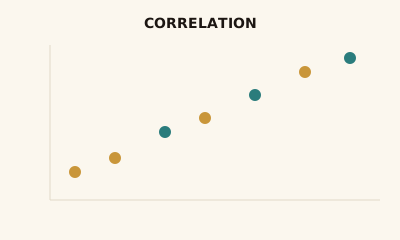
A scatter plot shows two measures on perpendicular axes; each point is one row of data. Position encodes the two values. There is no line—you see correlation, clusters, and outliers. A third variable can be added with color or point size (bubble chart).
When to use a Scatter Plot
Use a scatter plot when you have two numeric variables and want to see relationship, correlation, or distribution—e.g. price vs. volume, spend vs. conversion. It fits exploration and “how do these two relate?” Avoid when the x-axis has a natural order (e.g. time) and you care about trend; use a line chart then.
How to read a Scatter Plot
Each axis is a measure; each point is an observation. Look at the overall pattern: upward slope suggests positive correlation, downward negative, cloud suggests weak or no correlation. Look for clusters and points that sit apart (outliers). Use the legend if color or size encodes another variable.
Common mistakes
Treating correlation as causation; too many points with no transparency or aggregation (chart becomes a blob); using a scatter when a line chart would better show trend over time.
Variations
Scatter with trendline; bubble chart (size = third measure); scatter with color or shape for categories.
Scatter Plot in BI tools
Scatter plots are in Tableau, Power BI, Sigma, Looker, and Excel. Use them to explore relationships between two measures.
vs. other charts
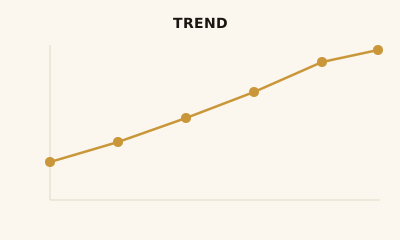
Choose a scatter over a line chart when there’s no time or sequence on the x-axis. Choose a bubble chart when you need to encode a third numeric variable with size. For distributions of one variable, use a histogram.
FAQ
When should I use a scatter plot?
Use a scatter plot when you have two numeric variables and want to see relationship, correlation, clusters, or outliers. It is ideal for exploring how one measure relates to another (e.g., price vs. volume, spend vs. conversion).
How do I add a third variable to a scatter plot?
Encode a third variable with point size (bubble chart), color, or shape. Size works well for a continuous measure; color or shape for categories. Many BI tools support size and color in the same scatter view.
What does correlation look like on a scatter plot?
Positive correlation: points trend upward left to right. Negative: downward trend. No correlation: points form a cloud with no slope. Remember, correlation does not mean causation—always consider context.
When should I use a scatter plot instead of a line chart?
Use a scatter plot when there is no natural order on the x-axis (e.g., two measures, not time). Use a line chart when the x-axis is time or a sequence and you want to emphasize trend over that order.
How many points are too many for a scatter plot?
Large datasets can still work: use transparency, small points, or aggregation (bins/hexbins) so the chart does not become a solid blob. For thousands of points, consider sampling or density views in your BI tool.
Have a chart you can't figure out?
Paste any chart screenshot and get a plain-English explanation in seconds.
Upload your chart →