Explain Bubble Chart
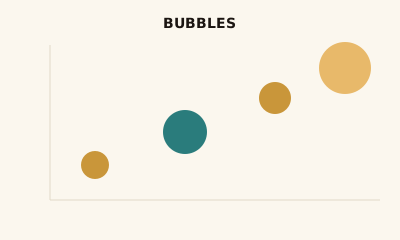
A bubble chart is a scatter plot with point size as a third variable. Position shows two measures; size shows a third—e.g. revenue vs. growth with market size.
What is a Bubble Chart?
A bubble chart is a scatter plot where each point is a bubble. X and y are two measures; bubble size is a third. So you see relationship (position) and magnitude (size) in one view.
When to use a Bubble Chart
Use a bubble chart when you have three numeric variables and want to show relationship (x vs. y) plus a size dimension—e.g. revenue vs. growth rate with market size, or countries by two metrics with population. Keep the number of bubbles modest (roughly 20–50) so overlap doesn’t hide the story.
How to read a Bubble Chart
Read position like a scatter plot: axes are two measures. Compare bubble sizes for the third variable; use the legend to map size to value. Prefer area-based scaling (not radius) so size matches proportion.
Common mistakes
Scaling size by radius instead of area (overstates large values); too many bubbles; no legend for what size means.
Variations
Bubbles with color for a fourth dimension; animated bubbles over time (use sparingly).
Bubble Chart in BI tools
Bubble charts are in Tableau, Power BI, Sigma, and Excel. Use when you need three measures in one relationship view.
vs. other charts
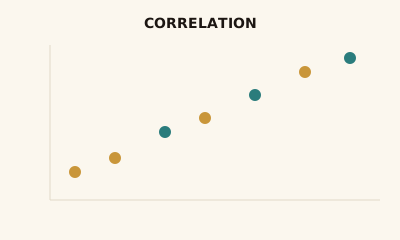
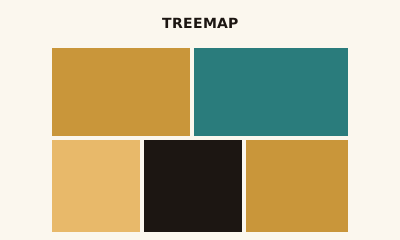
Choose a bubble chart over a scatter plot when you have a third numeric variable to encode. Choose a scatter when only two measures matter. For part-to-whole across many items, use a treemap.
FAQ
What is the difference between a bubble chart and a scatter plot?
Bubble charts are scatter plots with point size encoding a third variable. Use a bubble chart when you need to show three numeric dimensions at once (x, y, and size); use a scatter plot for two variables only.
When should I use a bubble chart?
Use a bubble chart when you have three numeric measures and want to show relationship (x vs. y) plus magnitude (size)—e.g., revenue vs. growth rate with market size as bubble size, or countries by two metrics with population as size.
How do I avoid misleading bubble sizes?
Size should scale by area, not radius, so doubling the value doubles the visual area. Many tools default to radius—check and prefer area scaling. Use a legend or clear labels so viewers understand what size represents.
How many bubbles are too many?
Keep to roughly 20–50 bubbles for readability; more can overlap and obscure the message. Use filtering, aggregation, or small multiples if you have many points. Very small bubbles become hard to see and compare.
Have a chart you can't figure out?
Paste any chart screenshot and get a plain-English explanation in seconds.
Upload your chart →