Explain Treemap
A treemap breaks a whole into parts with rectangles. Size is value; nesting is hierarchy. It answers: What’s big, and how do parts group?
What is a Treemap?
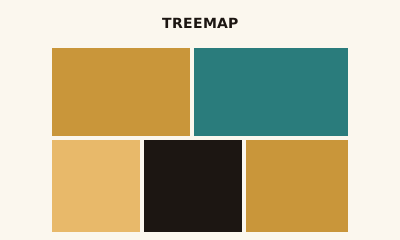
A treemap is a set of nested rectangles. Each rectangle’s size represents a value; nesting shows hierarchy (e.g. category → subcategory). Color can show a second measure or category. It’s a compact way to show part-to-whole across many items.
When to use a Treemap
Use a treemap when you have many categories or a hierarchy and want to show proportion—e.g. folder sizes, revenue by product and region. It fits “what’s the breakdown?” and “what’s largest?” Avoid when you have only a few categories (a bar or pie is simpler) or when precise comparison is the goal.
How to read a Treemap
Larger rectangles are larger values. Nested rectangles are children of the parent. Use labels or tooltips for exact numbers; compare areas to see relative size. Color, if used, adds a second dimension (e.g. growth).
Common mistakes
Too many tiny rectangles; no labels so small items are unreadable; using a treemap for a flat list that would be clearer as a bar chart.
Variations
Single-level (one row of rectangles); multi-level (nested); with or without color for a second measure.
Treemap in BI tools
Treemaps are in Tableau, Power BI, Sigma, and Looker. Use for hierarchical part-to-whole.
vs. other charts
Choose a treemap over a pie chart when you have many categories or hierarchy. Choose a bar chart when you have a small set of categories and need precise comparison. Choose a heatmap when you need a grid of two dimensions with intensity, not hierarchy.
FAQ
What is the difference between a treemap and a pie chart?
Treemaps handle many categories and hierarchies better; pie charts work for a few slices. Treemaps use rectangle area for value and can nest for hierarchy; pies use slice angle. Use a treemap when you have 10+ categories or a tree structure.
When should I use a treemap?
Use a treemap when you want to show part-to-whole across many categories or a hierarchy (e.g., folder sizes, revenue by product and region). Size encodes value; color can show a second measure or category.
How do I read a treemap?
Larger rectangles represent larger values. Nested rectangles are sub-categories. Compare areas rather than trying to read exact numbers—use tooltips or labels for precision. Color can indicate a second dimension (e.g., growth).
When is a treemap misleading?
Small rectangles are hard to compare and label. Very flat hierarchies (one level) may be clearer as a bar chart. Avoid treemaps when the main goal is to compare a handful of categories precisely—bar or pie is simpler.
Have a chart you can't figure out?
Paste any chart screenshot and get a plain-English explanation in seconds.
Upload your chart →