Explain Pie Chart
A pie chart shows how a few parts make up a whole. It answers composition questions: What share does each category have?
What is a Pie Chart?
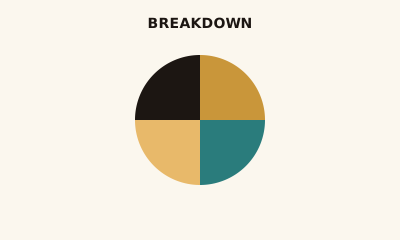
A pie chart is a circle split into slices. Each slice is a category; slice size (angle and area) represents its share of the total. It’s a common but limited way to show part-to-whole.
When to use a Pie Chart
Use a pie chart when you have a small number of categories (about 2–5) and the main message is proportion or share of a whole—e.g. budget breakdown, market share. Avoid it when you have many categories, need precise comparison, or when a bar chart would make differences clearer.
How to read a Pie Chart
Match each slice to the legend for the category name and often the value or percent. Compare slice sizes to see relative share; large slices dominate the circle. For exact numbers, rely on labels or the legend, not angle.
Common mistakes
Too many slices; using a pie when exact comparison matters (bars are easier to compare); 3D or exploded effects that distort proportion.
Variations
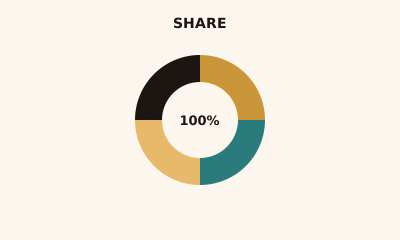
Donut chart (hollow center, often with a central number); multi-level or nested pies (generally avoid—hard to read).
Pie Chart in BI tools
Pie charts are available in Tableau, Power BI, Sigma, Looker, and Excel. Use them sparingly for composition when categories are few.
vs. other charts
Choose a bar chart when you have more than a few categories or need to compare values precisely. Choose a donut when you want a central KPI in the middle. For many categories or hierarchy, use a treemap.
FAQ
When should I use a pie chart?
Use a pie chart for 2–5 categories when showing part-to-whole and the main message is proportion (e.g., share of budget). Avoid when you have many slices, need precise comparison, or when a bar chart would make differences clearer.
What is the difference between a pie chart and a donut chart?
Donut charts have a hollow center where you can display a total or KPI; otherwise they show the same part-to-whole information. Both use slice size for proportion; choose a donut when the center number adds context.
How many slices should a pie chart have?
Keep to 5–6 slices at most. If you have more, group small categories into "Other" or use a bar chart or treemap so viewers can compare values accurately.
Why do experts sometimes say to avoid pie charts?
People are better at comparing lengths (bars) than angles or areas (pie slices). For exact comparison or many categories, bar charts are clearer. Pies are still useful when the story is "one big part vs the rest" or for a small number of clear proportions.
Should I use 3D or exploded slices?
Avoid 3D pie charts—they distort proportions and make some slices look larger than they are. A slight "explode" of one slice can highlight it, but use sparingly so the chart stays readable.
Have a chart you can't figure out?
Paste any chart screenshot and get a plain-English explanation in seconds.
Upload your chart →