Explain Cohort Chart
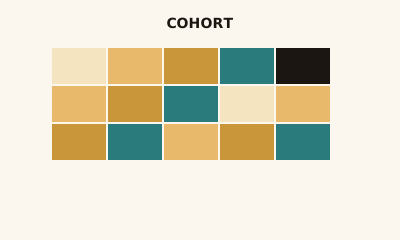
A cohort chart shows how groups defined by a start date behave over time. Rows = cohorts; columns = periods. It answers: How does retention (or another metric) change by cohort and over time?
What is a Cohort Chart?
A cohort chart is a grid: rows are cohorts (e.g. users by signup month), columns are periods (e.g. month 1, 2, 3 since signup). Each cell is a metric—often retention rate or count. Color can encode the value. It’s the standard view for cohort analysis.
When to use a Cohort Chart
Use a cohort chart for retention, repeat behavior, or any analysis where you group entities by a start date or event and track them over periods—e.g. retention by signup month, revenue by first-purchase cohort. Fits product, marketing, and lifecycle analysis.
How to read a Cohort Chart
Read across a row to see how one cohort changes over periods (e.g. retention decay). Read down a column to compare cohorts in the same period (e.g. month-1 retention for Jan vs. Feb signups). Use the legend or labels for exact values.
Common mistakes
Cohorts too small or too many; unclear definition of “cohort” or “period”; mixing metrics in the same view without clarity.
Variations
Retention cohort; revenue cohort; with absolute counts or rates; with color intensity.
Cohort Chart in BI tools
Cohort views are in Tableau, Sigma, Looker, Google Analytics, and Amplitude. Use for retention and cohort analysis.
vs. other charts
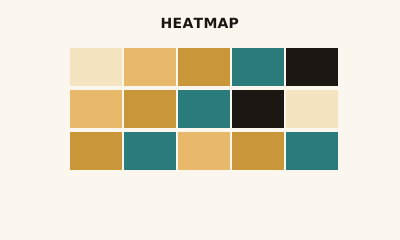
A cohort chart is often shown as a heatmap (grid + color). The difference is meaning: cohorts are defined by a start and tracked over periods. A generic heatmap can be any two dimensions.
FAQ
When should I use a cohort chart?
Use a cohort chart for retention (e.g., by signup month), repeat behavior, or any analysis where you group entities by a start date or event and track them over time. Rows = cohorts; columns = periods; cells = rate or count.
What is a cohort?
A cohort is a group defined by a shared start (e.g., users who signed up in January, customers who made a first purchase in Q1). Cohort charts show how each group behaves in period 1, 2, 3, etc.—e.g., retention, revenue, or activity.
How do I read a cohort chart?
Read across a row to see how one cohort changes over periods (e.g., retention decay). Read down a column to compare cohorts in the same period (e.g., month 1 retention for Jan vs. Feb signups). Color intensity often encodes the metric.
Cohort chart vs. heatmap?
Cohort charts are often displayed as heatmaps (grid with color). The difference is meaning: cohorts are grouped by a start date and time periods; heatmaps can be any two dimensions. Cohort view implies "over time since start."
Have a chart you can't figure out?
Paste any chart screenshot and get a plain-English explanation in seconds.
Upload your chart →