Explain Gauge Chart
A gauge chart shows one value in a range, like a speedometer. It answers: Where are we between min and max? Are we on target?
What is a Gauge Chart?
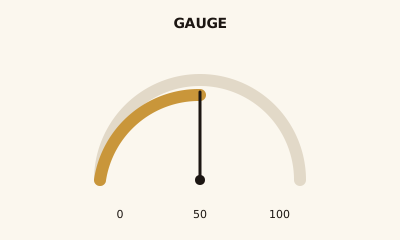
A gauge chart is a dial or arc with a scale (min to max) and a needle or marker for the current value. Color bands can show zones (e.g. red / yellow / green). It shows one metric in a range, often with a target.
When to use a Gauge Chart
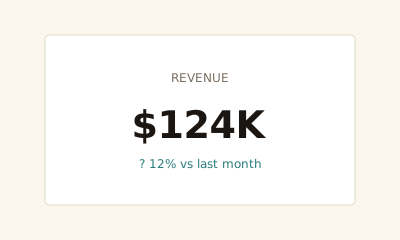
Use a gauge when one metric sits in a meaningful range (e.g. 0–100%, or min–target–max) and you want to show progress or status—e.g. utilization, goal attainment. Use a KPI card when the number and trend are enough without a visual scale.
How to read a Gauge Chart
Read the needle or marker against the scale. Check which band the value falls into if colors are used. The legend or labels should make the range and target clear.
Common mistakes
Arbitrary range; too many gauges on one dashboard; using a gauge when a single number (KPI card) would be clearer.
Variations
Half-circle (speedometer); full circle; linear gauge; with or without color bands.
Gauge Chart in BI tools
Gauge charts are in Power BI, Tableau, Sigma, and Looker. Use for KPIs that have a range or target.
vs. other charts
Choose a gauge over a KPI card when range and target are part of the story. Choose a donut when you’re showing part-to-whole composition, not one value in a range.
FAQ
What is the difference between a gauge chart and a KPI card?
Gauges show a value within a range with a visual scale (like a speedometer) and often color bands or a target. KPI cards show a number with optional trend or comparison. Use a gauge when range and target matter; use a KPI card when the number and change are enough.
When should I use a gauge chart?
Use a gauge when you have one metric that sits in a meaningful range (e.g., 0–100%, or min–target–max) and you want to show progress toward a goal or status (e.g., green / yellow / red bands). Common for KPIs like utilization or goal attainment.
How do I set gauge ranges and bands?
Set min and max to the logical range (e.g., 0–100%). Use color bands to show zones (e.g., red below 50%, green above 80%). Keep the scale linear and avoid manipulating ranges to make a value look better than it is.
When is a gauge chart misleading?
Gauges can waste space for a single number—a KPI card is often clearer. Avoid gauges when the range is arbitrary or when multiple gauges compete for attention; prefer a few key gauges or a summary table.
Have a chart you can't figure out?
Paste any chart screenshot and get a plain-English explanation in seconds.
Upload your chart →