Explain KPI Card
A KPI card shows one number prominently, often with a comparison or sparkline. It answers: What’s the headline value, and how does it compare?
What is a KPI Card?
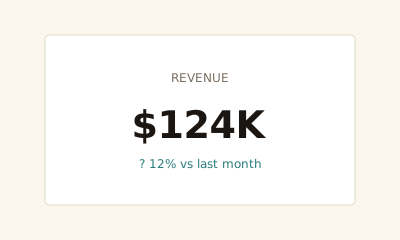
A KPI card (or big number) is a small block with a label, a main value, and optionally a comparison (e.g. vs. last period) or a sparkline. One metric per card. It’s the building block of dashboard headlines.
When to use a KPI Card
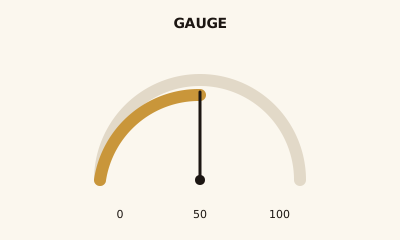
Use KPI cards for the few metrics that matter most on a dashboard—typically 3–7. They give a fast read. Pair with charts for context. Use a gauge when you need to show value in a range or toward a target; use a card when the number and change are enough.
How to read a KPI Card
Read the label (what’s measured), the main number (the value), and any comparison or trend (e.g. “↑ 12% vs last month”). A sparkline adds recent trend at a glance.
Common mistakes
Too many cards; cluttered text; no clear label or comparison so the number has no context.
Variations
Number only; number + trend; number + sparkline; number + comparison to target or prior period.
KPI Card in BI tools
KPI cards are in Tableau, Power BI, Sigma, Looker, and Metabase. Use for headline metrics.
vs. other charts
Choose a KPI card over a gauge when you don’t need a visual range or target. Choose a gauge when progress toward a goal or band (e.g. red/yellow/green) is part of the message.
FAQ
When should I use a KPI card?
Use KPI cards for the 3–5 most important metrics on a dashboard. They give a quick read of headline numbers. Pair with charts for context. Keep one main number per card with optional trend (e.g., vs. last period) or sparkline.
What should I put on a KPI card?
Include a clear label (e.g., "Revenue"), the main value (e.g., "$124K"), and optionally a comparison (e.g., "↑ 12% vs last month") or a small sparkline. Avoid crowding; one message per card.
KPI card vs. gauge chart?
KPI cards show a number (and optional trend); gauges show a value in a range with a visual scale. Use a card when the number and change are enough; use a gauge when you need to show progress toward a target or range (e.g., 0–100%).
How many KPI cards should a dashboard have?
Focus on 3–7 primary metrics so the dashboard is scannable. Too many cards dilute attention. Use drill-down or detail charts for secondary metrics rather than filling the screen with cards.
Have a chart you can't figure out?
Paste any chart screenshot and get a plain-English explanation in seconds.
Upload your chart →